How to Set Up Buzz VPN on iPhone with INCY
Install INCY from the Russian App Store, get your subscription link from the Buzz VPN bot and connect in two minutes. Step by step with screenshots and fixes.
Updated
INCY is available in the Russian App Store, so there's no need to change your Apple ID region. You need a subscription link from the bot and the app itself. The guide works for iPad as well.
What you need
- An iPhone or iPad.
- A subscription link from the Buzz VPN bot. If you don't have a subscription yet, the bot starts a free 3-day trial with all features.
- The INCY app from the App Store.
Step 1. Get your subscription link from the bot
- Open the Buzz VPN bot in Telegram and tap "Start".
- Start the trial or choose a plan.
- The bot sends a subscription link that looks like
https://api.buzzz.ink/api/sub/…. Tap it to copy the whole thing.
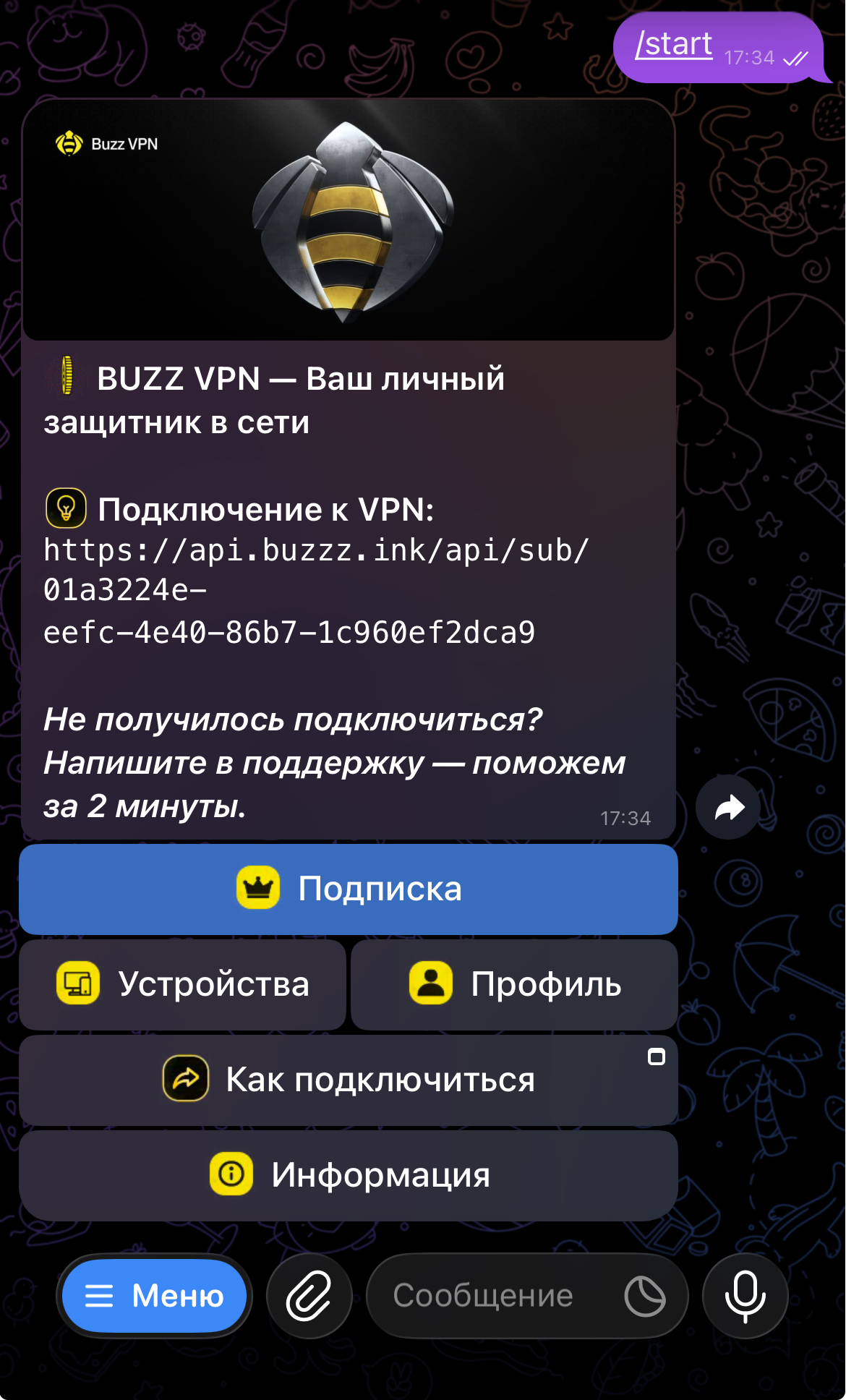
Step 2. Install INCY
- Open the App Store and install INCY from the official link. The app is available with a Russian Apple ID.
- Wait for the install to finish and open the app.
The official publisher is LLC ITDEV; the developer's site is incy.cc. Sites with similar names belong to key resellers — don't install INCY from links on them.
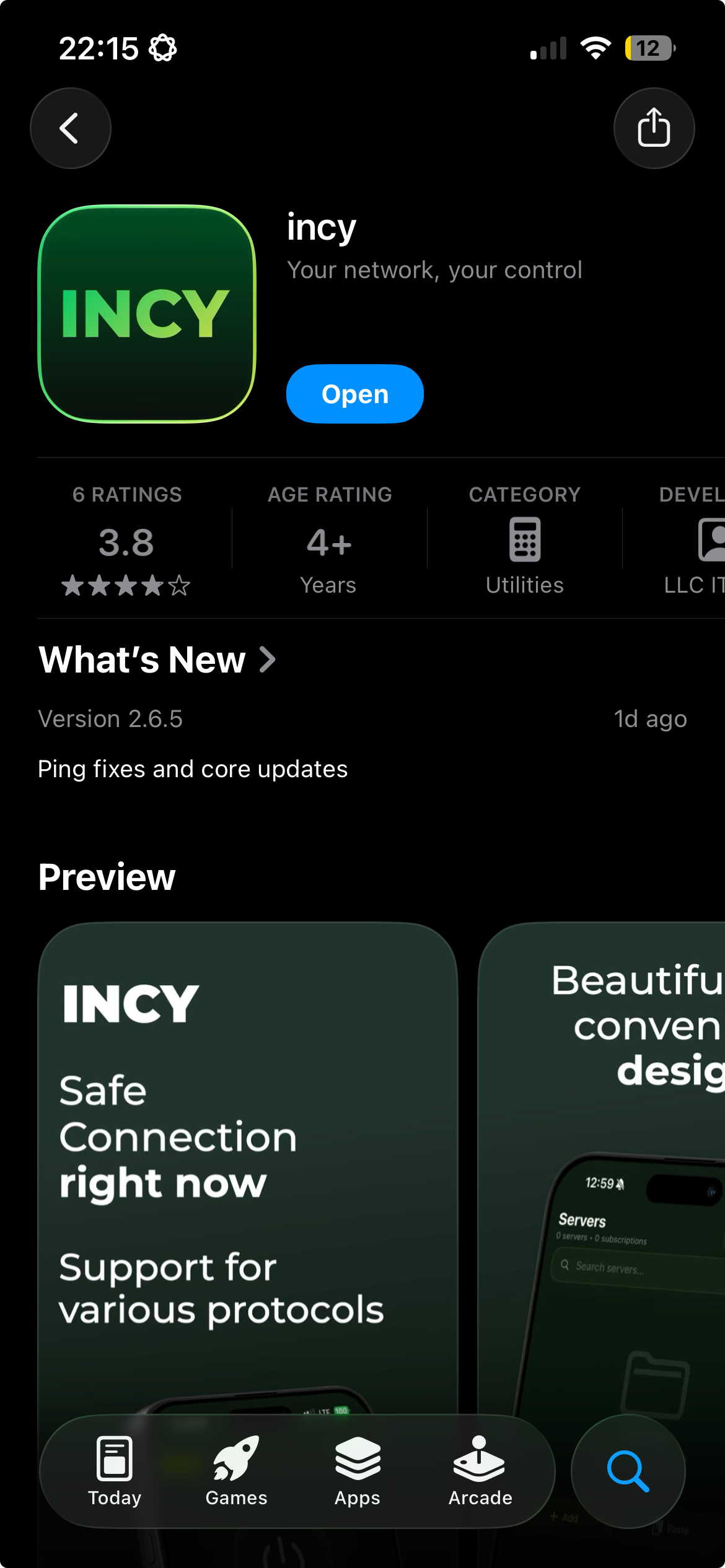
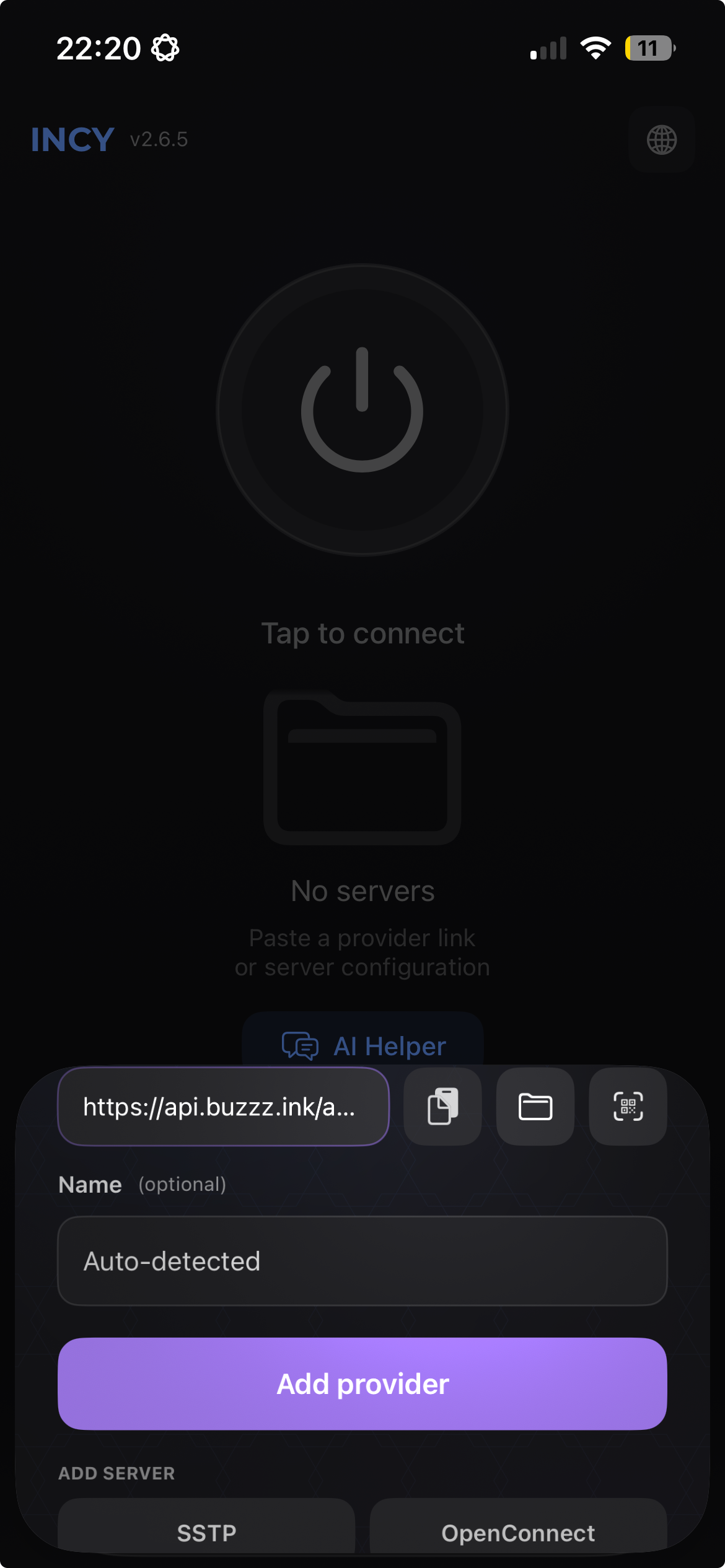
Step 3. Add the subscription
- In INCY, tap "+ Add".
- Choose "Paste from clipboard" — the app picks up the link you copied.
- A Buzz VPN subscription with its servers appears in the list.
Step 4. Connect
- Tap "Connect".
- iOS asks for permission to add a VPN configuration — tap "Allow" and confirm with your passcode or Face ID.
- Wait for the status to change to "Connected".
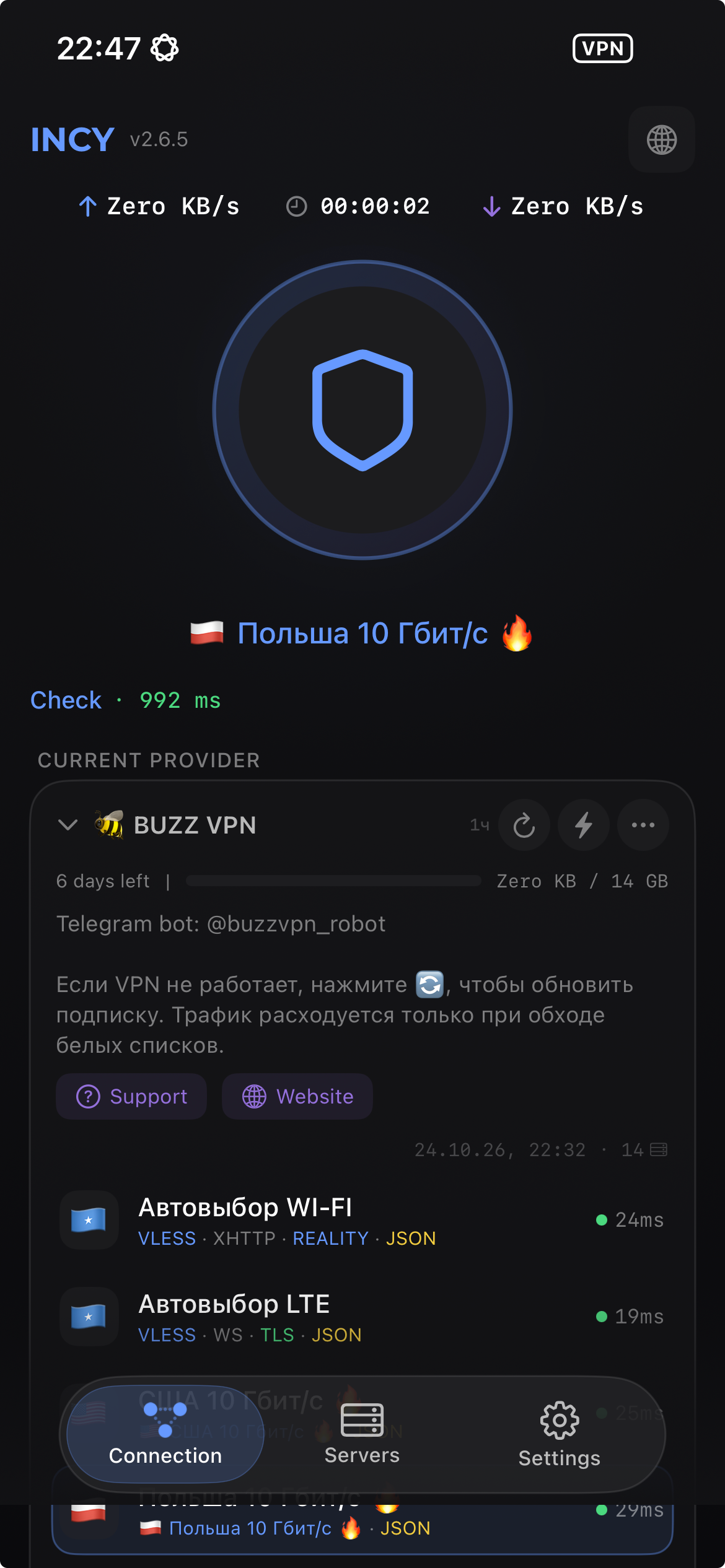
Permission is requested only once. After that, the VPN toggles on and off with a single button in INCY.
Check the connection
- A VPN icon appears in the iPhone status bar.
- Open a site or app that wasn't working — it should load now.
- For a precise check, open an IP check page: the address should differ from your usual one.
If it doesn't work
"Paste from clipboard" adds nothing. The link wasn't copied, or only partially. Go back to the bot, tap the link again and repeat step 3.
The subscription was added, but the server list is empty. INCY couldn't fetch the subscription. Make sure you're online and refresh the subscription in the app. If the list is still empty, copy the link from the bot again.
Status stays on "Connecting". Turn mobile data or Wi-Fi off and on, then tap "Connect" again. On a whitelisted network, the first connection can take 10–15 seconds.
Connected, but sites won't open. Disconnect, wait five seconds and connect again. If that doesn't help, delete the subscription in INCY and add the link from the bot once more.
Guides for other devices are in the guides section.